
We receive many paper or telephone repeat prescription requests and we complete these requests on all occasions.
We are now asking all our patients who submit a paper request or make a telephone call to request their repeat prescription to switch to the NHS App. Patients will need to have an email address to use the NHS App and to be able to request prescription via the app.
So, to help us help you we are asking patients with an email address to sign up to the NHS App to order their repeat prescriptions.
Watch the video below for step by step guidance on how to order repeat prescriptions in the NHS App.
What is the NHS App?
The NHS App is owned and run by the NHS.
It can be accessed by anyone aged 13 and over registered with an NHS GP surgery in England. You will have easy, 24/7 access to a growing range of health services and information as well as for repeat prescriptions.
What are the benefits of using the NHS App?
You can use the NHS App to:
- Order repeat prescriptions without having to contact your GP practice
- Choose a pharmacy where your prescriptions will be sent
- Speed up the process of issuing your prescription to you
- Save staff time to enable us to support other activities that help patients
- Reduce the potential for handling errors
- Save you time in coming to the practice as well as car parking and queuing
- Access lots of other information about local health services
Below you will find a choice of ways to access the NHS App. If you need more help there are a range of options where you can get support:
- Click here to access the NHS App getting started guide
- Contact the practice and one of the team will be able to advise on using the NHS App
- Get support from a digital volunteer – ask at your local library
- Contact the Rees Centre in Plympton on 01752 340550 and ask about the Digital Support Group
Getting Started
For Smartphones you can set up the NHS App via www.nhs.uk/nhs-app/
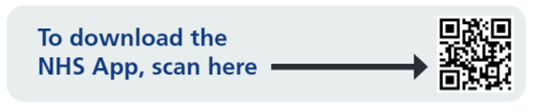
or you can scan the QR code below to download and access the NHS App.
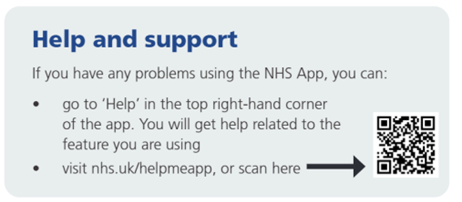
If you need more information, use the following link (www.nhs.uk/helpmeapp) to find answers to your questions.
or you can scan the QR code below to access the NHS App and help.
You can also use a desktop or laptop to access NHS App services using the link below